
Record the bug.
Ship the report.
Hit record, reproduce the problem, hit stop. ReproKit hands you console errors, failed requests, repro steps, screenshots and video in one report your developers can act on.
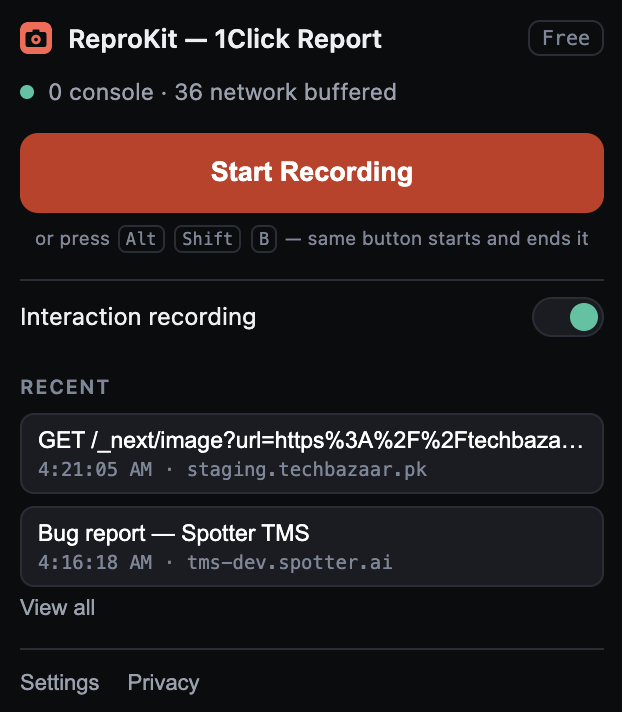
One button starts it. The same button ends it.
Start recording
From the popup or with Alt + Shift + B. Interaction recording captures every click and input as you go.
Reproduce the bug
The screenshot is taken automatically the moment the failure happens. Console errors and failed requests are logged as they fire.
Copy, .md or .png
Stop recording and the report is written for you — title, severity, environment, steps. Export it into your tracker.
File a ticket a developer can act on without a single follow-up question.
A bug report nobody had to write.
Click through the tabs — this is the real panel, not a mock-up.
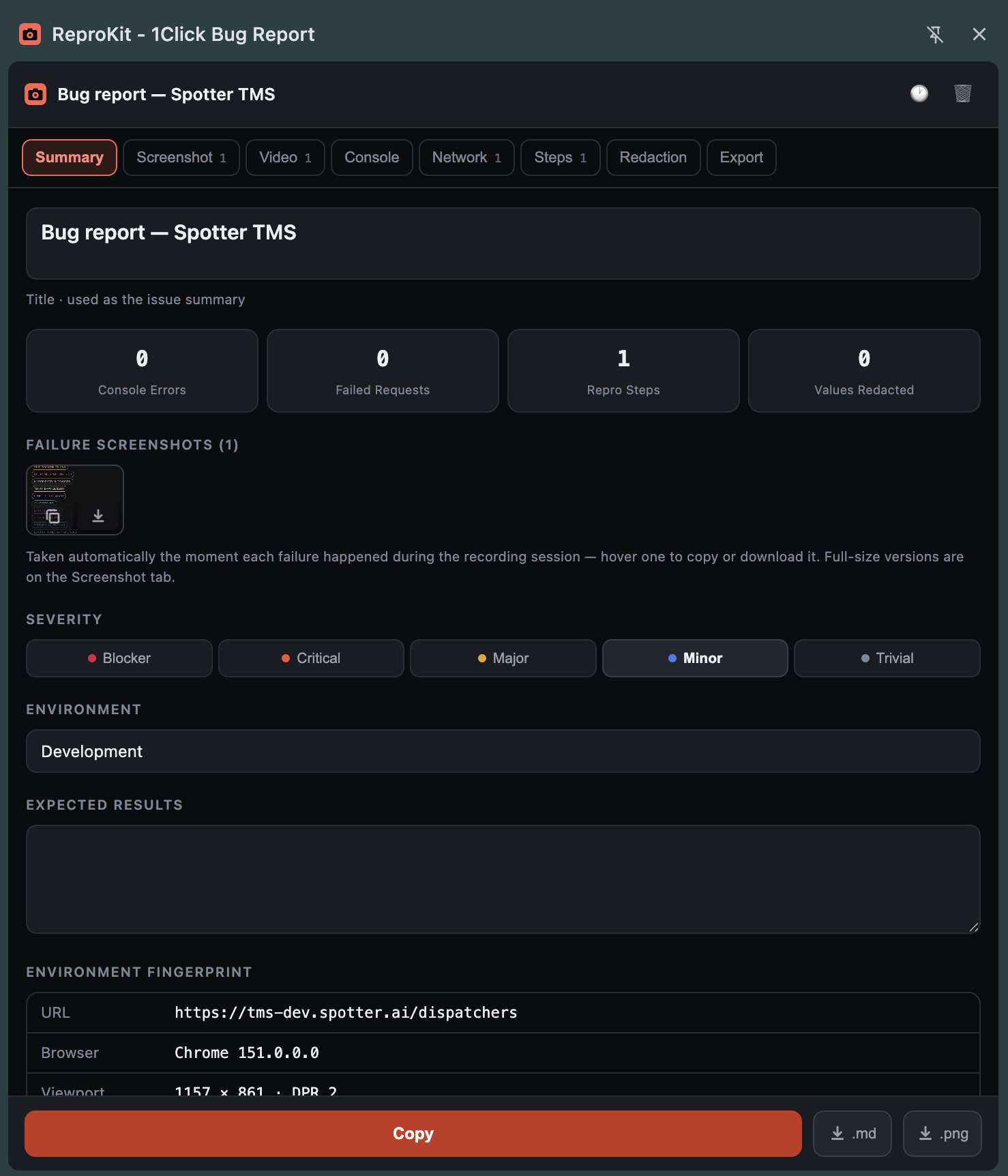
The report writes its own summary.
Title, severity and environment in one place, failure screenshots attached as thumbnails, and an environment fingerprint filled in automatically — URL, browser, viewport and DPR.
Watch a report get made.
One recording session, start to export.
Eight tabs. Nothing left to chase.
Title and severity
Named from the failure itself. Blocker through trivial, plus expected results.
Failure screenshots
Taken at the moment the failure happened. Copy it or download the .png.
Errors as logged
The message a developer would have asked you to paste.
Failed requests
Which call broke, and whether anything came back.
Repro steps
Your actual clicks and inputs, in order.
Values masked
Tokens, JWTs and keys stripped automatically, and listed so you can check.
Environment
URL, browser version, viewport and DPR, filled in automatically.
Copy, .md, .png
Paste into Jira or Slack, or hand over a file.
One plan. No cost.
Questions people ask.
No. Sessions are recorded and assembled in your browser. Nothing leaves your machine until you copy or download the report yourself.
Bearer tokens, JWTs, AWS access keys, PEM key blocks and secret-looking query parameters are stripped automatically and always. Email addresses and card-like numbers can be added in Settings. Password fields are never read at all.
Chrome blocks extensions on its own internal pages and the Web Store. Open a normal http(s) page and recording is available again.
Screen recording stops automatically after 5 min in the current version, or whenever you press stop.
Yes — any page you can open, including password-protected staging environments.
Yes. ReproKit is free and stays that way — everything described on this site is included, no paid tier.
Stop writing bug reports by hand.
Install ReproKit and your next report writes itself.